Download Snappy Driver Installer — Free for Windows (2026)
Install and update hardware drivers offline with the most trusted open-source driver tool. Portable, free, and safe — no bundled software, ever.
What Is Snappy Driver Installer?
A free, open-source driver management tool trusted by IT professionals and home users worldwide.
Snappy Driver Installer is a free, open-source driver management tool for Windows that makes finding, downloading, and installing the correct hardware drivers straightforward. The Snappy Driver Installer download is available as a portable application — just extract and run, no installation needed. It supports every version of Windows from XP through Windows 11, covering both 32-bit and 64-bit systems.
The tool works by scanning your PC hardware and comparing it against a database of community-maintained driver packs. It then shows exactly which drivers are missing, outdated, or have a newer version available — color-coded for quick identification. You select what to update, and SDIO handles the rest.
Why Choose Snappy Driver Installer?
The biggest advantage of this driver tool over commercial alternatives is its complete offline capability. Download the driver packs once on a PC with internet access, copy them to a USB drive, and install drivers on any machine — even those with no network connection. This makes it the go-to utility for technicians, system builders, and anyone setting up a fresh Windows installation where network drivers are not yet available.
Unlike commercial driver updaters that nag with upgrade prompts or bundle third-party software, Snappy Driver Installer is funded entirely by donations. There are no ads, no trial limitations, and no hidden costs. The entire source code is publicly auditable under the GNU GPL v3.0 license.
Snappy Driver Installer Origin (SDIO)
The version recommended by the community is Snappy Driver Installer Origin (SDIO), a fork developed and maintained by Glenn Delahoy from Australia. SDIO was created to keep the project transparent, clean, and free from any bundled offers. Reddit communities and tech forums consistently recommend SDIO as the version to use for a safe, reliable experience.
SDIO uses a pack-based system where community-maintained driver collections are available via torrent or direct download. Each pack covers a hardware category — networking, audio, graphics, chipsets, and more. Download only the packs you need or grab the full collection for comprehensive offline coverage.
Offline-First Driver Management
SDIO is designed around the offline use case. After downloading indexes (around 50–100 MB) or full driver packs (up to 49 GB for the complete collection), you can scan and install drivers on any Windows PC without an internet connection. This approach is especially valuable for fresh Windows installs where network and Wi-Fi drivers are not yet loaded.
Explore the features, system requirements, and setup guide below to get started.
Key Features
Everything you need to keep your Windows drivers up to date — offline or online, on one PC or a hundred.
Smart Driver Matching
Accurately identifies missing, outdated, and better-version drivers across all hardware categories using deep scan analysis of your system.
Fully Portable
Runs directly from USB drives, DVDs, or network shares. No installation required — extract the ZIP and launch the executable.
Complete Offline Mode
Download driver packs once, then install drivers on any PC without internet access. Ideal for fresh Windows installs and remote locations.
Auto Restore Points
Creates a Windows System Restore point before making any driver changes, giving you a safety net to roll back if something goes wrong.
Built-in Update System
Automatically checks for new driver packs and application updates on startup, keeping your driver toolkit current without manual effort.
Scripting Engine
Automate driver deployments across multiple PCs using command-line scripts. Designed for IT technicians managing fleets of machines.
27+ Languages
The interface is available in over 27 languages including English, Spanish, German, French, Portuguese, Russian, Chinese, and more.
Open Source & Clean
Licensed under GPL v3.0 with fully auditable source code. No ads, no malware, no bundled software. Funded entirely by community donations.
Cross-Architecture
Includes both x86 (32-bit) and x64 (64-bit) executables in a single archive. Works on any Windows PC regardless of processor architecture.
System Requirements
SDIO is lightweight and runs on virtually any Windows PC — even older hardware.
| Component | Minimum | Recommended |
|---|---|---|
| Operating System | Windows XP (32-bit) | Windows 10 or 11 (64-bit) |
| Processor (CPU) | Any x86 or x64 processor | 1 GHz dual-core or faster |
| RAM | 512 MB | 1 GB or more |
| Disk Space (App) | 10 MB | 50–100 MB (with indexes) |
| Disk Space (Packs) | 1–5 GB (selected packs) | 15–49 GB (full collection) |
| Internet Connection | Not required (offline capable) | Recommended for updates |
| Installation | Not needed — fully portable | Run from any location |
Download Snappy Driver Installer Origin
Get the latest version of SDIO — free, portable, and ready to use in seconds.
Snappy Driver Installer Origin (SDIO)
After downloading, follow the setup guide below to get started in minutes.
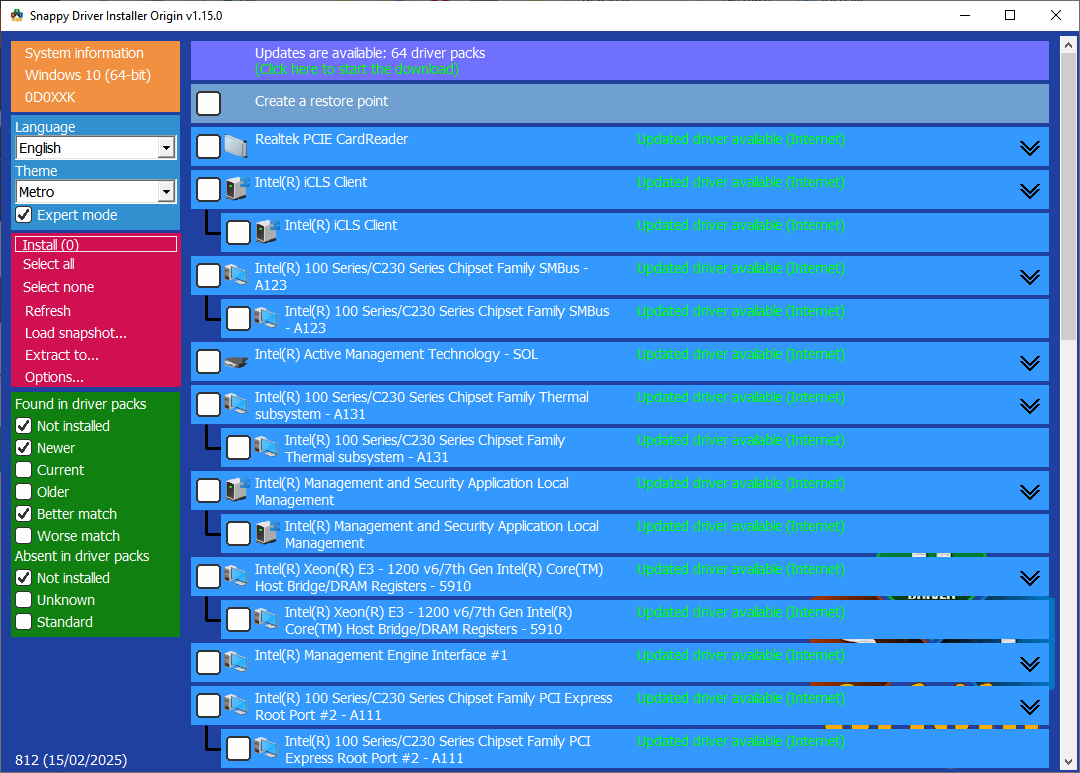
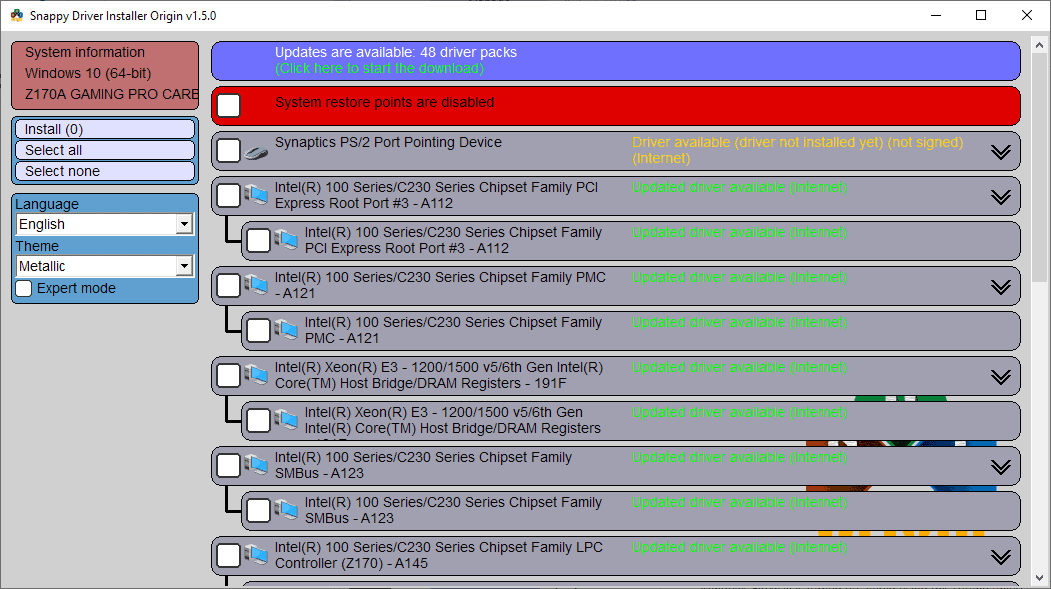
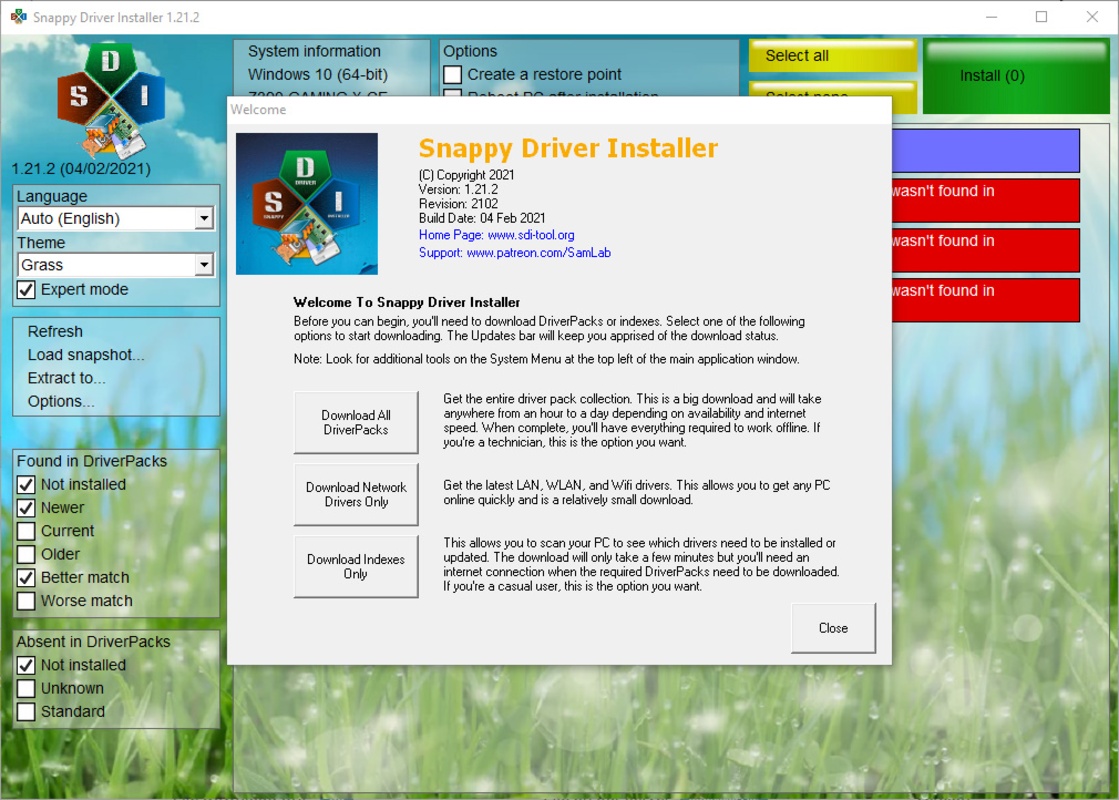
Screenshots
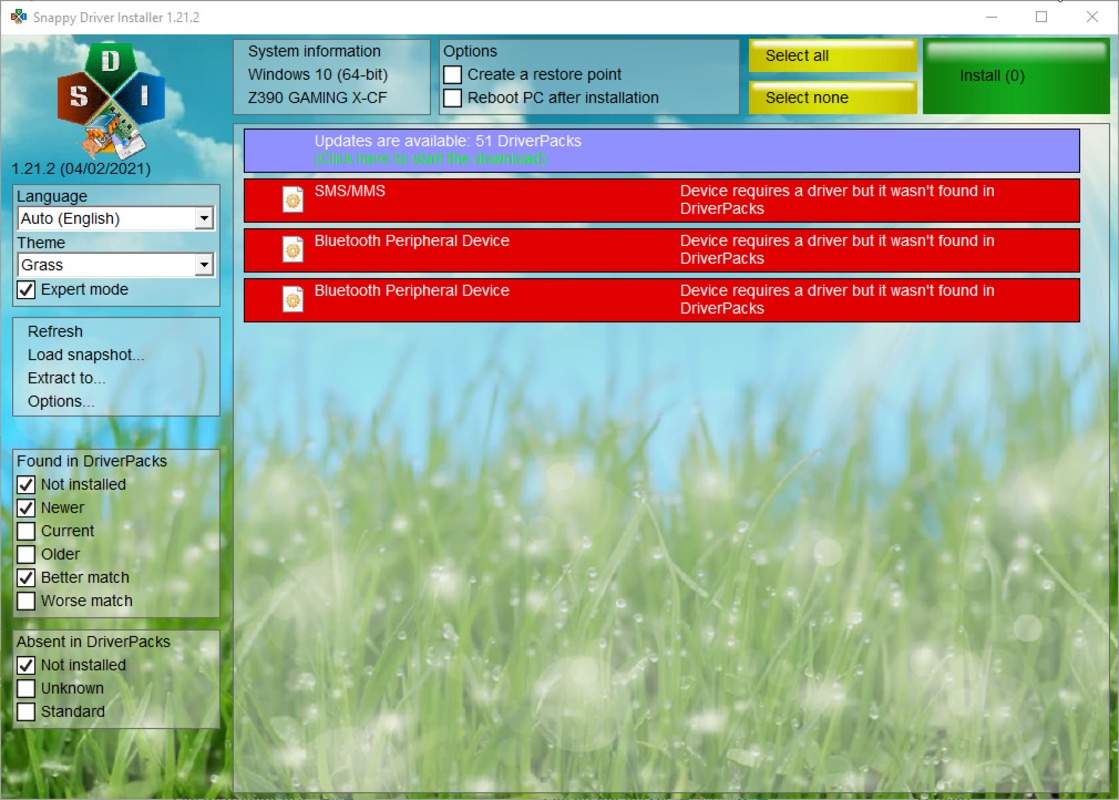
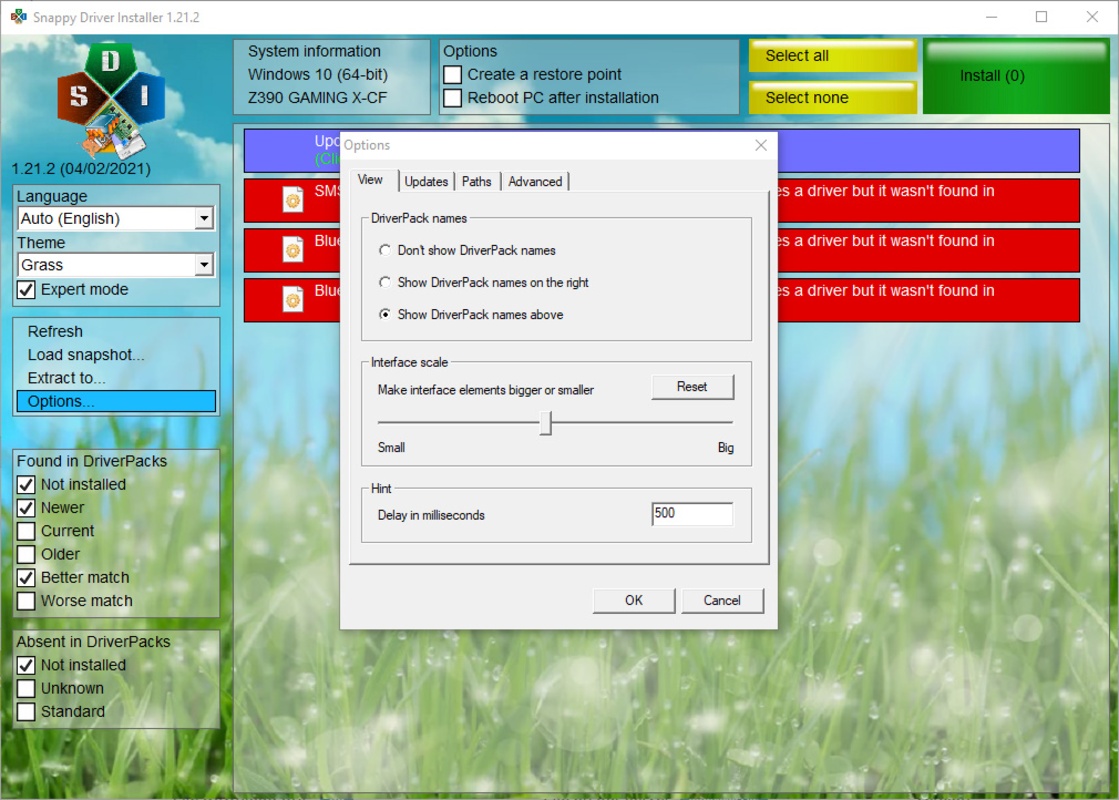
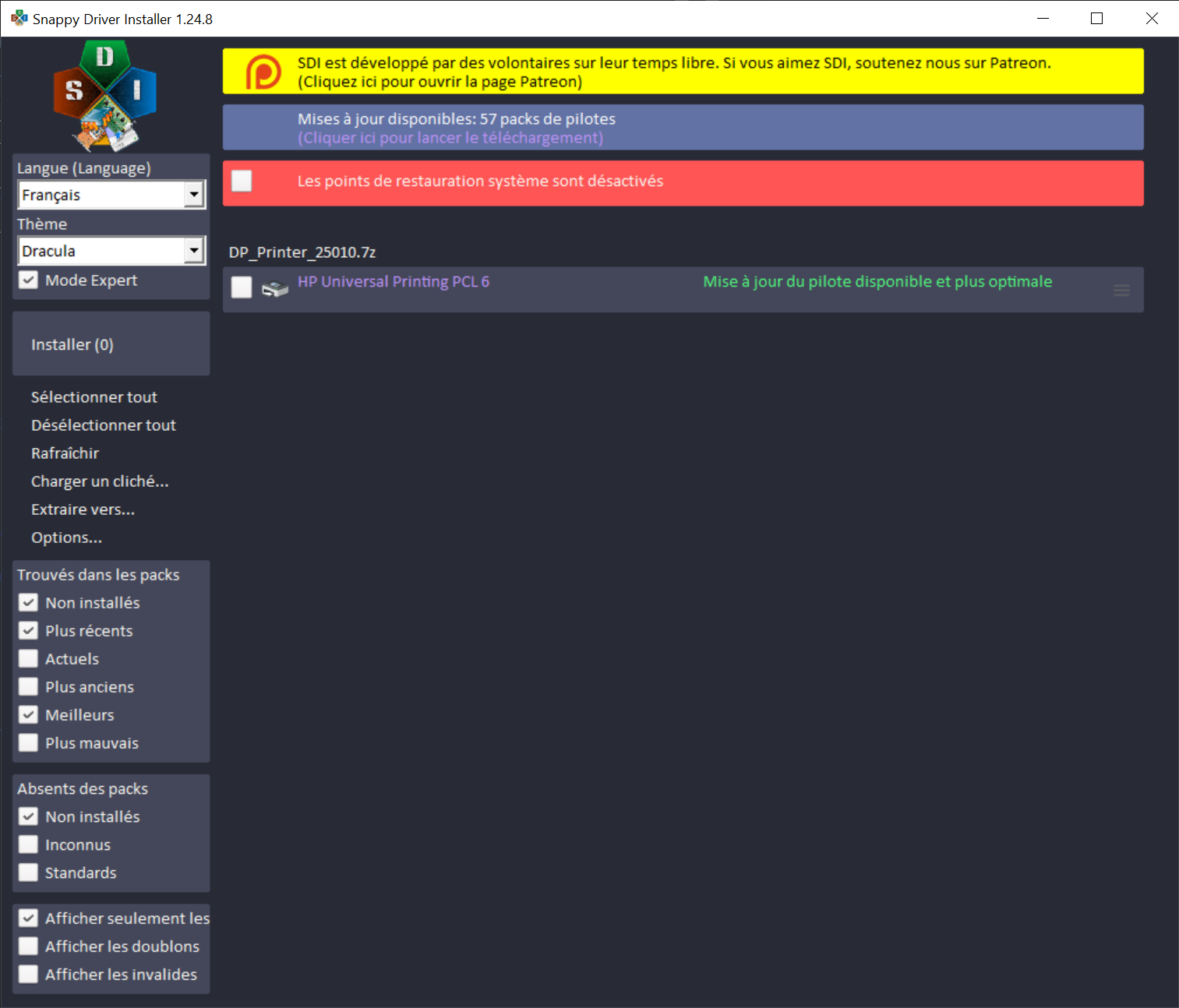
See how Snappy Driver Installer Origin looks in action on Windows.
How to Install Snappy Driver Installer
Follow this step-by-step guide to download, set up, and start using SDIO on your Windows PC.
Download SDIO
Head to our download section and click the download button to get the latest SDIO ZIP archive. The file is approximately 7 MB and downloads in seconds on most connections.
Extract the ZIP Archive
Right-click the downloaded SDIO_1.17.7.828.zip file and select “Extract All” (or use a tool like 7-Zip). You can extract it to any location — your Desktop, a USB flash drive, an external hard drive, or any folder on your PC. SDIO is completely portable and does not write to the Windows registry.
Launch the Application
Open the extracted folder and double-click SDIO_x64.exe if you are running 64-bit Windows, or SDIO_x86.exe for 32-bit systems. If you are not sure which to use, try the x64 version first — it will tell you if your system needs the 32-bit version instead.
Download Driver Indexes
On first launch, SDIO will ask what you want to download. Select “Download Indexes Only” — this is the recommended option. The indexes are around 50–100 MB and contain the metadata SDIO needs to identify which drivers your hardware requires. You do not need to download the full driver packs at this stage.
Wait for the download to complete. This typically takes 1–3 minutes depending on your internet speed.
Scan Your Hardware
After the indexes finish downloading, SDIO automatically scans your PC and displays a list of all detected hardware. Each driver is color-coded:
Red — Missing driver (no driver installed)
Yellow — Outdated driver (newer version available)
Green — Current (up to date)
Blue — Better version available (optional upgrade)
Create a System Restore Point
Before installing any drivers, click the option to create a System Restore Point. This creates a snapshot of your current system state so you can roll back if a new driver causes any issues. This step is strongly recommended, especially when updating multiple drivers at once.
Select and Install Drivers
Check the boxes next to the drivers you want to install. SDIO will download the required driver pack files (if not already present) and install them one by one. You can select all flagged drivers or pick specific ones based on priority. The installation progress is shown in real time.
For a fresh Windows install, selecting all missing and outdated drivers is usually the right choice. For routine updates, you might prefer to update only specific components.
Reboot and Verify
After installation completes, restart your computer. Some drivers require a reboot to take full effect. Once your PC restarts, open Device Manager (right-click the Start button and select “Device Manager”) to confirm all devices have proper drivers. No yellow warning triangles should remain.
Run SDIO again after the reboot to verify everything is up to date. Occasionally, installing one driver enables hardware that needs additional drivers.
Ready to start? Download SDIO from the section above.
Frequently Asked Questions
Common questions about Snappy Driver Installer Origin answered clearly and accurately.
Is Snappy Driver Installer safe to use?
Yes, SDIO is safe. It is open-source software licensed under GPL v3.0, meaning anyone can inspect the source code for potential issues. The project contains no ads, no tracking, and no bundled third-party software. SDIO is maintained by Glenn Delahoy and funded entirely by community donations. Windows SmartScreen may show a warning because the executable is not commercially signed, but this is normal for open-source tools.
What is the difference between SDI and SDI Origin?
SDI Origin (SDIO) is a community fork of the original Snappy Driver Installer (SDI). SDIO was created because the community had concerns about the original project potentially bundling third-party offers. SDIO is independently maintained by Glenn Delahoy and is widely recommended on Reddit and tech forums as the cleaner, safer, and more actively updated version. We recommend using SDIO for the best experience.
Is Snappy Driver Installer free?
Yes, completely free. SDIO is open-source software licensed under GNU GPL v3.0 with no paid tiers, no trial periods, and no premium features locked behind a paywall. Every feature is available to every user at no cost. Development is supported by voluntary donations from the community.
Can I use Snappy Driver Installer offline?
Yes, offline operation is one of SDIO’s primary strengths. Download the driver packs on a computer with internet access, save them to a USB drive or external hard drive, and use SDIO to install drivers on any Windows PC without a network connection. This is especially useful for fresh Windows installs where network drivers are not yet available.
Does Snappy Driver Installer work on Windows 11?
Yes, SDIO fully supports Windows 11, including both 32-bit and 64-bit editions. It also works on Windows 10, 8.1, 8, 7, Vista, and XP. The driver packs include drivers compatible with all supported Windows versions, so you can use the same toolkit across different PCs running different OS versions.
How much disk space does Snappy Driver Installer need?
The SDIO application itself is about 7 MB. With driver indexes downloaded, you will need around 50–100 MB. Individual driver packs (selected categories) range from 1–5 GB. The complete driver pack collection can reach 15–49 GB. Most users only need indexes plus a few specific packs, which keeps total usage well under 5 GB.
Do I need to install Snappy Driver Installer?
No, SDIO is fully portable. Download the ZIP file, extract it to any location, and run the executable directly. It does not modify the Windows registry or require an installer. You can run it from a USB drive, a network share, a DVD, or any folder on your PC. To “uninstall,” simply delete the extracted folder.
How do I roll back drivers installed by SDIO?
If a driver installed by SDIO causes problems, use the System Restore point that SDIO creates before installation. Go to Control Panel, then Recovery, then Open System Restore, and select the restore point labeled with the SDIO installation date. Alternatively, you can roll back a specific driver through Device Manager by right-clicking the device, selecting Properties, going to the Driver tab, and clicking “Roll Back Driver.”
Is Snappy Driver Installer better than Driver Booster?
They serve different users. Driver Booster by IObit is a commercial product with a polished interface that handles updates automatically but requires an internet connection and has a free tier with limitations. SDIO is free, open-source, works completely offline, and gives you more granular control over which drivers to install. For IT technicians, offline deployments, and users who want full transparency, SDIO is the stronger choice.
Can I run Snappy Driver Installer from a USB drive?
Yes, this is one of SDIO’s core use cases. Extract the ZIP to a USB flash drive, optionally copy driver packs to the same drive, and you have a portable driver toolkit that works on any Windows PC. Many IT technicians carry a USB drive with SDIO and a full set of driver packs for quick on-site driver installations.
Should I use SDIO or Windows Update for drivers?
Windows Update provides basic driver coverage but often installs generic or slightly older driver versions. SDIO offers a much larger and more frequently updated driver database with versions sourced directly from hardware manufacturers. For the best hardware compatibility and performance, use SDIO to install specific drivers and rely on Windows Update for security patches and OS updates.
How often is SDIO updated?
SDIO receives regular updates. The application itself is updated as new features or bug fixes are released. Driver packs are updated continuously by the community as hardware manufacturers release new drivers. When you launch SDIO with an internet connection, it automatically checks for both app updates and new driver packs on startup.
Where can I download Snappy Driver Installer officially?
You can download SDIO from the download section on this page, which links directly to the official release maintained by Glenn Delahoy. The official SDIO developer page is at glenn.delahoy.com. Avoid third-party download aggregator sites, as they may bundle unwanted software with the download or distribute outdated versions.
Why is SDIO trying to download gigabytes of data?
If SDIO is downloading a large amount of data, you likely selected “Download All Driver Packs” instead of “Download Indexes Only” on first launch. The complete driver collection is 15–49 GB. To minimize bandwidth usage, close SDIO, delete any partially downloaded packs, relaunch, and select “Download Indexes Only.” SDIO will then only download the specific packs your hardware needs when you click install.